Email workflow automation is a system that sends a series of emails on its own, triggered by something a subscriber does or by a date you set. Someone joins your list and a welcome sequence starts. A shopper leaves a cart and a reminder goes out an hour later. You build the logic once, and it runs for every person who qualifies, without anyone pressing send.
At Chromex Marketing, we run email and SMS programs for ecommerce brands, and automated workflows are where most of the revenue sits. When a store comes to us with email at a small share of sales, the usual cause is weak or missing workflows, not a lack of campaigns. Fixing that is the first thing we do after an audit.
This guide explains why workflows matter, then walks you through building one step by step. You will see how triggers, conditions, and delays fit together, which workflows to build first, how to choose software, how Outlook and Gmail automation differs, and which practices and metrics keep a workflow profitable.
Why email workflow automation matters
Email workflow automation matters because it reaches each subscriber at the moment they are most likely to act, and it does that around the clock. A broadcast campaign speaks to your whole list at once. A workflow speaks to one person at a time, about the thing they just did.
Workflows reach people at the right moment
Intent is short-lived. A new subscriber is warmest in the first hour. A shopper who left a cart is still thinking about it that evening. A customer who bought a 30-day supply is running low in four weeks. You cannot schedule a campaign around those moments, because they land at a different time for every person. A workflow can, because the trigger starts a separate clock for each subscriber.
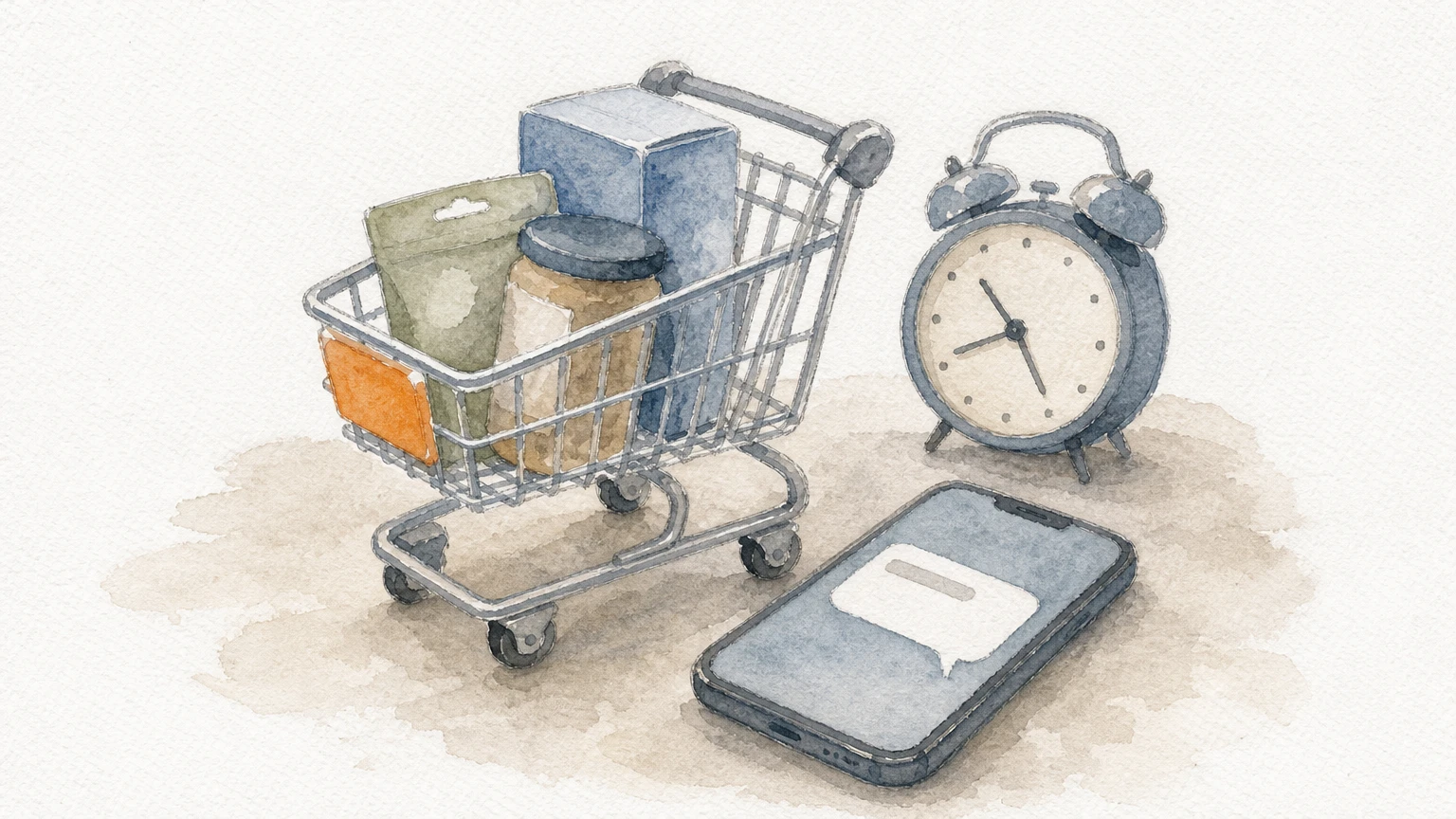
That is why workflow emails usually earn more per recipient than campaign emails. They go to people who just showed interest, with a message about what they just did. The table shows how the two formats differ.
Campaign | Workflow | |
|---|---|---|
Starts with | A date you pick | An action or condition |
Audience | Whole list or a segment, all at once | One subscriber at a time |
Content | Same for everyone | Can branch on behavior |
Lifespan | One send | Runs until you switch it off |
Best for | Launches, sales, news | Welcome, recovery, retention |
Neither format replaces the other. Campaigns announce things, and workflows do the steady selling underneath them.
Workflows compound while campaigns expire
A campaign has a lifespan of about a day. A workflow runs for years, so every improvement you make is applied to every future subscriber. If you raise the conversion rate of a welcome series by a few points, that gain repeats for each person who joins your list from then on.
This is the main reason we build workflows before campaigns for new clients. In our onboarding, the audit comes first, the core automations are built next, and the campaign calendar comes after that, so campaigns land on top of a system that already converts. Across our clients, email drives an average of 45% of monthly revenue, and most of that comes from this kind of foundation.
What skipping automation costs you
Without workflows, follow-up depends on someone remembering. That produces the same gaps in almost every store:
New subscribers get one generic email, or nothing, for days.
Abandoned carts and browse sessions go unanswered.
First-time buyers hear nothing between the order confirmation and your next sale.
Lapsed customers sit on the list, hurt your engagement numbers, and never get a win-back attempt.
Each gap is revenue you already paid to attract through ads or SEO, then lost at the last step.
A workflow turns a one-time effort into a sales process that runs every day.
How to build an email automation workflow
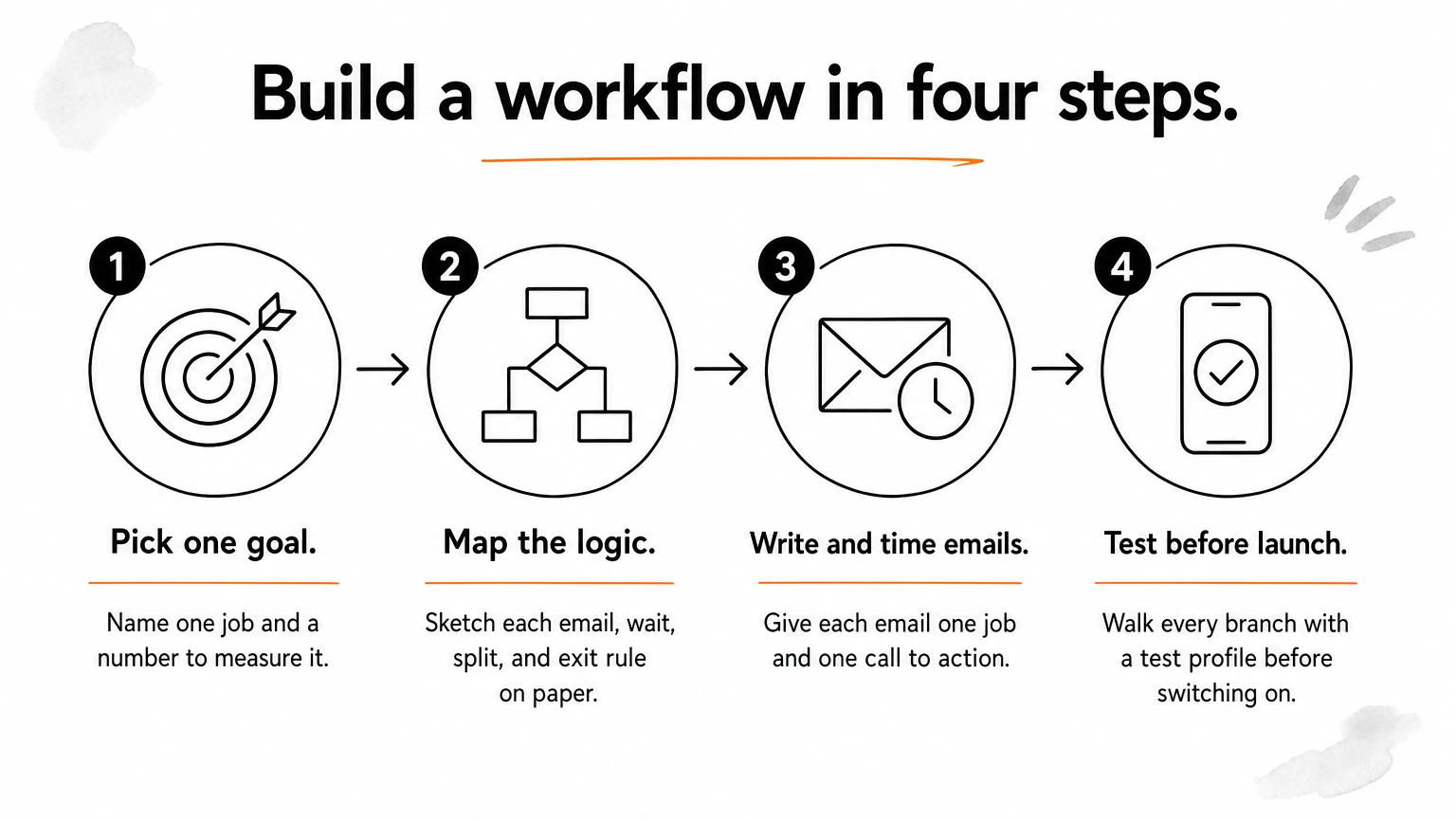
Build an email automation workflow by choosing one goal, picking the trigger that signals intent, deciding who qualifies, writing the emails and delays between them, and testing every path before you switch it on. The four steps below take you from a blank page to a live workflow.
Step 1: Pick one goal and one trigger
Every workflow gets one job. "Recover abandoned carts" is a job. "Improve engagement" is not. Write the goal with a number and a window, such as "turn 15% of new subscribers into first-time buyers within 14 days," so you know later whether it worked.
Then choose the trigger that marks the moment. For a welcome series it is the signup. For cart recovery it is the checkout event. If you are unsure, ask what the customer just did that makes this message relevant. The trigger should be the most specific action available, because a specific trigger produces a relevant email.
Step 2: Segment the audience and map the logic
Decide who should enter the workflow and who should not. A cart reminder should skip anyone who already bought. A welcome series should treat a subscriber who joined through a discount pop-up differently from a customer who opted in at checkout.
Then map the path on paper before you open your platform. Write down each email, the wait before it, any splits, and the rule that ends the workflow. This template works for any flow:
Workflow name: Abandoned cart
Goal: Recover 10% of abandoned carts within 48 hours
Trigger: Started checkout
Entry filter: Email is subscribed; no order placed since trigger
Exit rule: Places an order
Email 1: Wait 1 hour. Reminder with the exact items in the cart
Email 2: Wait 23 more hours. Answer objections: shipping, returns, reviews
Email 3: Wait 24 more hours. Last reminder; incentive only if margin allows
Split: If email 1 was clicked, skip the incentive in email 3
Success metric: Revenue per recipient, recovered orders
Sketching the map first catches gaps and overlaps while they are still cheap to fix.
Step 3: Write the emails and set the timing
Each email needs one job and one call to action. The first cart email reminds, the second removes doubt, and the third creates a reason to act now. If an email tries to do all three, it does none of them well. Keep the layout simple, put the button where a thumb can reach it on mobile, and write in the same voice as the rest of your brand.
Timing comes from your buying cycle. A low-priced impulse product can be recovered within hours. A considered purchase needs days between messages. Start with sensible defaults, such as 1 hour and 24 hours for cart reminders, then adjust once you have data. Also check whether your platform sends delays in clock time or lets you set quiet hours, so nobody gets a reminder at 3 a.m.
Step 4: Test, launch, and review
Test before launch, because a broken workflow fails quietly for weeks. Run through this checklist:
Trigger the workflow yourself with a test profile and confirm it enters.
Click every link and confirm it lands on the right page.
Check that personalization fields fall back gracefully if data is missing.
Walk each branch: clicked, did not click, bought, did not buy.
Confirm the exit rule removes a buyer before the next email.
View each email on a phone and in at least two inbox apps.
After launch, give the workflow time to collect data before you change it. Reacting to three days of results leads to bad decisions. Review it after a few weeks, find the email where people drop off, and test one change at a time.
Build the map on paper first, because logic errors are cheaper to fix before they send.
Triggers, conditions, and delays explained
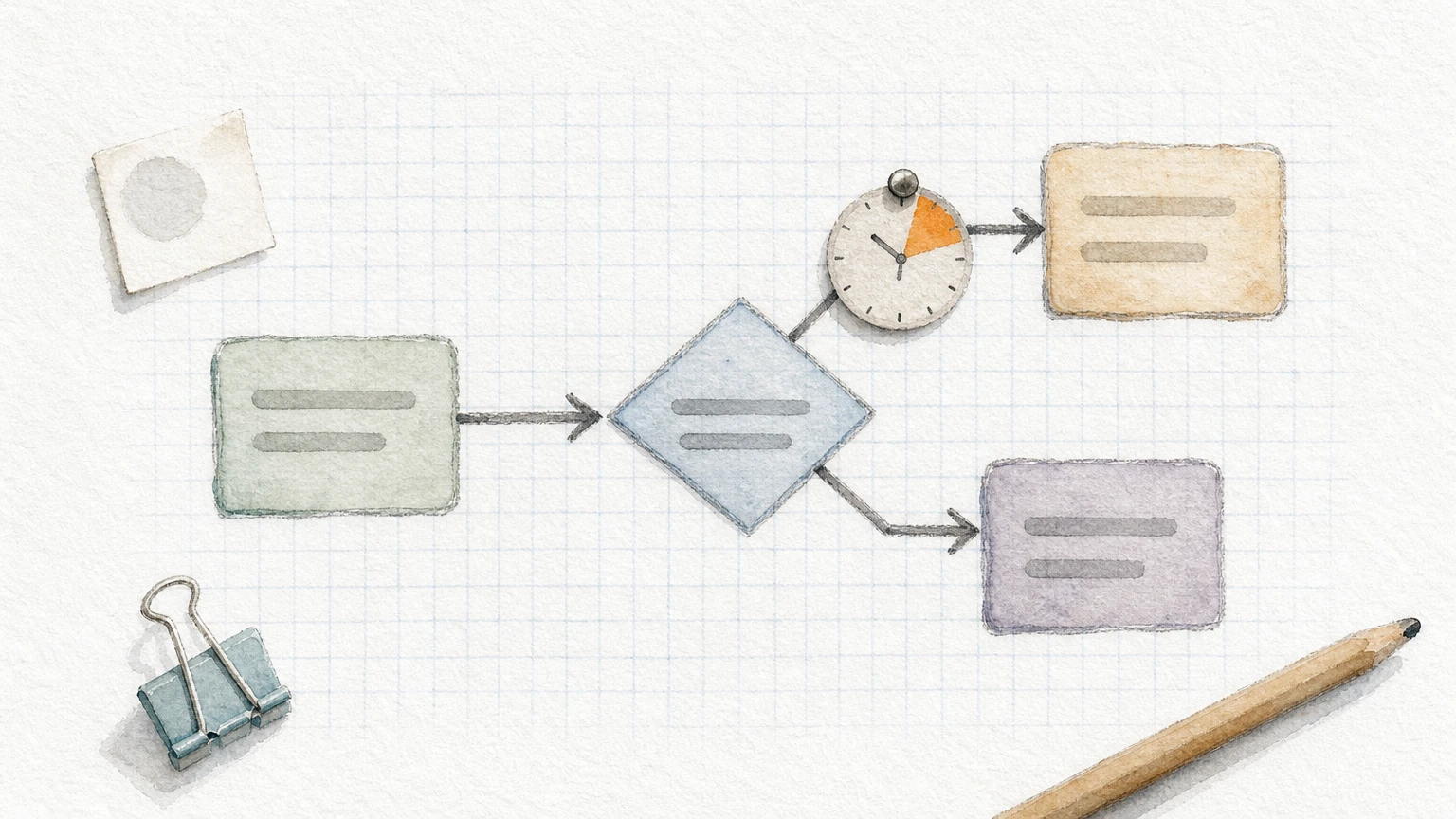
Every email marketing automation workflow is built from four parts: a trigger that starts it, conditions that decide who qualifies and which path they take, delays that space the emails, and exit rules that stop it. Understanding these parts lets you build any workflow, not just the standard ones.
Trigger types
A trigger is the event that puts a person into the workflow. Most triggers fall into four groups.
Trigger type | Example | Typical workflow |
|---|---|---|
Signup | Joins the list, submits a form | Welcome series |
Behavior or event | Viewed a product, started checkout, placed an order | Browse abandonment, cart recovery, post-purchase |
Date or property | Birthday, days since last order, predicted reorder date | Win-back, replenishment, birthday |
Segment entry | Becomes a VIP, joins a list of high spenders | VIP welcome, loyalty |
Behavior triggers depend on your store sending event data to your email platform. If your cart workflow never fires, check the integration first. Also remember that a shopper must be identified, usually through a known email address, before a behavior trigger can email them.
Conditions, splits, and filters
Conditions decide who enters and where they go next. A trigger filter keeps the wrong people out, such as customers who already bought. A conditional split sends people down different paths. You might split on first-time versus returning customer, order value, product category, or country.
Use a split only when the message would truly differ. Every branch needs its own copy, its own testing, and its own reporting. Three well-built branches beat eight thin ones, and most workflows need one or two splits at most.
Delays and exit rules
Delays set the rhythm. They can be a fixed wait, a wait until a specific time of day, or a wait until a date stored on the profile. Exit rules end the workflow early when its purpose is met. The classic example is removing a shopper from the cart flow the moment they place an order.
Overlap is the part people forget. A customer can qualify for a cart reminder, a post-purchase email, and a win-back at the same time. Decide which workflow wins, and use filters or a frequency cap so one person does not get four emails in a day.
A workflow is only as good as its exit rules, because the wrong email at the wrong time costs trust.
Email automation workflow examples to build first
The workflows to build first are the ones tied to the biggest moments of intent: signup, cart, browse, and purchase. After those, add the retention workflows that bring customers back. Below is a core set most ecommerce stores should have live, with starting timings you can adjust.
The core set at a glance
Workflow | Trigger | Typical length | Starting timing |
|---|---|---|---|
Welcome series | Joins list | 3 to 5 emails | First email immediately, then every 1 to 3 days |
Abandoned cart | Started checkout, no order | 2 to 3 emails | 1 hour, then 24 hours, then 48 hours |
Browse abandonment | Viewed products, no cart | 1 to 2 emails | A few hours to a day after the visit |
Post-purchase | Order placed | 3 to 4 emails | Confirmation now, then use tips, review request, cross-sell |
Win-back | No purchase for a set period | 2 to 3 emails | Based on your reorder cycle, often 60 to 120 days |
Replenishment | Time since a consumable purchase | 1 to 2 emails | Just before the product runs out |
VIP or loyalty | Reaches a spend or order threshold | 1 to 3 emails | On entry, then periodic perks |
Sunset | No opens or clicks for a long period | 2 to 3 emails | Last step before suppressing the contact |
Treat the timings as starting points. Your product price, repeat rate, and traffic quality should move them.
Revenue-first workflows in detail
The welcome series sets the tone and earns the first sale. Email one delivers whatever you promised at signup and introduces your brand in two or three sentences. Email two shows best sellers or social proof. Email three addresses the usual objection, such as shipping or fit, and can include an incentive if you use one. You may hear a "three email rule" for welcome flows. Read it as a sensible minimum, not a law. Some brands do better with five.
The abandoned cart workflow is the simplest to justify. The shopper already chose the product. Show the exact items, make checkout one click away, and answer the likely hesitation in email two. Hold any discount until the final email so you do not train customers to abandon carts for coupons. Browse abandonment works the same way with a softer tone, since the shopper never added anything.
The post-purchase workflow is where many stores leave money behind. Confirm the order, then help the customer use the product, then ask for a review once they have had time to try it, and only then suggest something related. Each message is useful first and promotional second.
Retention workflows and non-store variations
Win-back, replenishment, VIP, and sunset flows protect the revenue you have already earned. Win-back reminds lapsed customers of what they bought and gives a reason to return. Replenishment fires before a consumable runs out. A VIP workflow recognizes your best customers with early access or perks. A sunset workflow asks inactive subscribers whether they still want to hear from you, then stops mailing the ones who do not, which protects deliverability.
The same logic works outside ecommerce. A software company might run a trial onboarding workflow triggered by signup, with branches based on whether the user completed setup. A service business might run a lead nurture workflow triggered by a guide download, ending with an invitation to book a call. The parts are identical: trigger, filter, emails, delays, exit.
Start with the workflows closest to a purchase, then work outward toward retention.
Email workflow automation software options
The right email workflow automation software is the one that connects cleanly to your store or CRM, passes behavior data reliably, and lets you build splits and exit rules without developer help. Features matter less than data quality, because a workflow can only react to events it can see.
What to look for in a platform
Check these points before you commit:
Native integration with your ecommerce platform or CRM, including cart, browse, and order events.
A visual builder that shows triggers, splits, and delays on one canvas.
Flow filters and frequency controls to prevent overlap.
Reporting at the workflow and email level, including revenue attribution.
SMS support if you want to add a second channel to the same workflow.
Templates you can customize so you are not locked into generic designs.
The builder itself is rarely the deciding factor. Deliverability tools, data depth, and the cost as your list grows usually matter more.
Platforms compared by fit
Platform | Workflow term | Usually a fit for |
|---|---|---|
Klaviyo | Flows | Ecommerce brands that want deep store data and segmentation |
Omnisend | Automations | Ecommerce brands that want email and SMS in one builder |
Mailchimp | Customer journeys | Smaller lists and simpler needs |
HubSpot | Workflows | Teams that run sales and marketing from one CRM |
ActiveCampaign | Automations | Service businesses and B2B lead nurturing |
For Shopify-style stores, we mainly work in Klaviyo and Omnisend, and we are an official Omnisend partner. The platform will not fix a weak strategy, though. A well-planned workflow works in any of them, and a poorly planned one fails in all of them. If you are switching platforms, rebuild your workflows from the logic map rather than copying them screen by screen.
Automating email workflows in Outlook and Gmail
Outlook and Gmail automate your own inbox, not marketing sends to a list. Their tools sort, reply to, and schedule individual messages, which is useful for personal productivity but not a substitute for a marketing workflow platform.
Outlook
Outlook handles inbox automation with rules. A rule can move messages from a sender to a folder, flag messages with certain words, or forward a copy to a teammate. Automatic replies cover out-of-office periods. For multi-step logic, such as saving attachments to a shared folder or sending a Teams message when a certain email arrives, you can build flows in Microsoft Power Automate, which connects Outlook to other Microsoft apps.
If you ask how to automate a workflow in Outlook, start with a rule for the repetitive task, then move to Power Automate only when the task needs several steps or another app.
Gmail
Gmail offers filters, labels, scheduled send, templates for repeated replies, and an out-of-office auto reply. A filter can label, archive, or forward incoming mail based on sender or keywords. For anything more complex, people connect Gmail to an automation tool or use Google Apps Script. These setups suit a small team handling inbound requests.
When to switch to a marketing platform
Move to a dedicated platform when you need to email many people who opted in, track their behavior, or react to store events. A shared inbox cannot manage unsubscribe handling, list consent, or open and click tracking at scale. Marketing sends also need legal compliance features, such as a working unsubscribe link and your physical postal address under the CAN-SPAM Act. A marketing platform handles those for you, and inbox tools do not.
Use inbox rules to manage your mail and a marketing platform to manage your customers.
Email workflow automation best practices and metrics
The best practices for email workflow automation come down to relevance, restraint, and measurement. Send messages people expect, limit how often they hear from you, and track revenue rather than only opens.
Practices that keep workflows profitable
Follow these habits, which we apply in every account:
Lead with value. Make the first email in any workflow useful before it sells.
Keep one goal per workflow. A workflow with two goals usually serves neither.
Authenticate your sending domain. Set up SPF, DKIM, and DMARC. Gmail and Yahoo require authentication and easy unsubscribes from bulk senders, and they expect spam complaint rates to stay low.
Respect consent. Only email people who opted in, and include an unsubscribe link and postal address.
Cap frequency. Decide how many emails per week one person can receive across all workflows.
Match the brand. Automated emails should sound like the rest of your communication, not like a template.
Review on a schedule. Check each workflow quarterly, because products, prices, and offers change.
Our approach is to test every part of the system, from subject lines to delays to the entry rules, and let the data decide. Testing one variable at a time is slower, but it tells you what actually worked.
Metrics worth tracking
Open rates are a weak signal now that mail apps can preload images, so lean on clicks and revenue.
Metric | What it tells you | Where to look |
|---|---|---|
Revenue per recipient | How much each person entering the workflow earns | Whole workflow |
Conversion rate | Share of recipients who purchase | Whole workflow, per email |
Click rate | Whether the content and button earn attention | Per email |
Unsubscribe and spam complaint rate | Whether you are sending too much or to the wrong people | Per email |
Bounce rate | List quality and deliverability health | Whole workflow |
Look for the email with the biggest drop-off, then fix that email first. If people click but do not buy, the problem is probably the landing page or offer. If they do not click, look at the copy, button, or timing.
Mistakes to avoid
The most common errors are launching without testing every path, using discounts in the first email by default, letting workflows overlap, and never revisiting a flow after launch. Another is judging a workflow on open rates alone. A flow with modest opens can still be your best revenue source, so let revenue per recipient guide your decisions.
If a workflow runs unattended for a year, it is no longer automation, it is neglect.
Start with one workflow, then build outward
Email workflow automation is a set of triggered emails that respond to what each subscriber does, and it earns its place by working every day without extra effort. Choose one goal, map the logic, write emails that each do one job, test every branch, and then measure revenue rather than opens. Start with the welcome and abandoned cart workflows, then add the retention flows from our ecommerce email automation examples.
If you would rather hand this off, our team builds and optimizes these systems for ecommerce brands, from the audit to the core flows to the campaigns that sit on top. When you are ready to see where your own workflows are leaking revenue, book a call with Chromex Marketing and we will walk you through it.