Most online stores send emails by hand and hope for the best. That means you pay for traffic, watch visitors leave, and only email them when you remember to run a campaign. Ecommerce email automation fixes that by sending the right message at the right moment, with no one hitting send.
Here is the short answer. Automation is a set of triggered emails, called flows, that fire when a shopper signs up, abandons a cart, buys, or goes quiet. A handful of well-built flows can drive 30 to 45% of your revenue, and they run around the clock. At Chromex, we build the 8 core sequences first, because they pay back fastest.
Below, you get 12 flows for your store, from the welcome series and abandoned cart to post-purchase and winback. Each one comes with what triggers it, what to send, and a concrete example you can copy. Whether you use Klaviyo or Omnisend, email automation for ecommerce works the same way. Start with the first three, then add the rest as you grow.
1. Welcome series
What it is and when it triggers
The welcome series is the first flow you should build. It triggers when someone joins your list through a pop-up, a checkout opt-in, or a footer form. Interest peaks right after signup, so these emails get some of the highest engagement you will ever see. Use that window to introduce your brand, not just to hand over a code.
Your welcome series reaches shoppers at the moment they care most, so don't waste it on a discount alone.
Split the flow by entry point. A visitor who joined for 10% off needs a different path than one who joined for early access to a drop. Most platforms, including Klaviyo and Omnisend, let you branch on form or tag. Also exit anyone who places an order and move them to post-purchase emails. This is where ecommerce email automation earns its keep: one setup, and every new subscriber gets a tailored first week.
Emails to include and timing
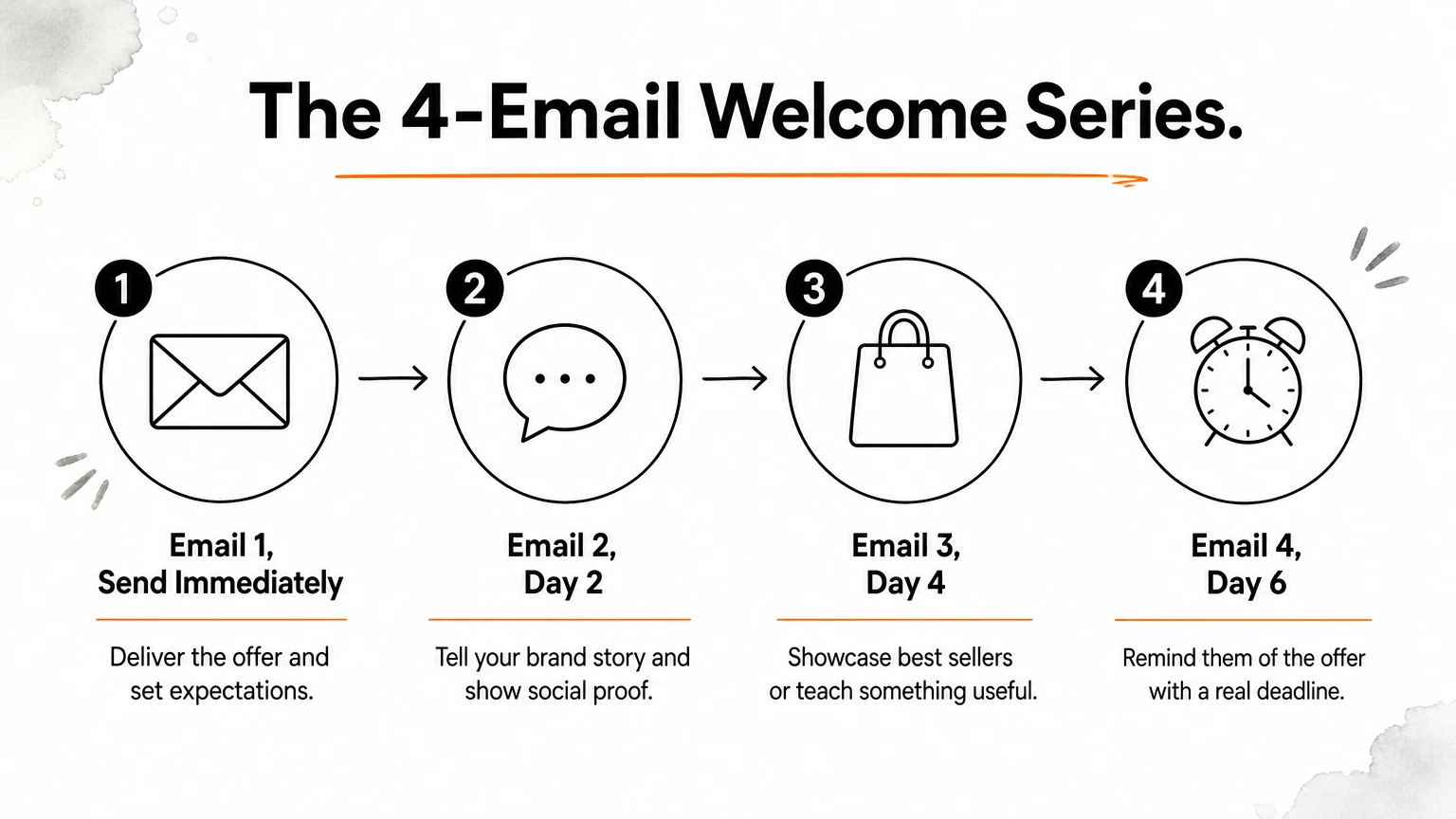
Four emails cover most stores. Send the first one immediately, then space the rest over about a week. Stretching it longer loses the momentum you just built.
Send | Job | |
|---|---|---|
1 | Immediately | Deliver the offer and set expectations |
2 | Day 2 | Tell your brand story and show social proof |
3 | Day 4 | Showcase best sellers or teach something useful |
4 | Day 6 | Remind them of the offer with a real deadline |
Add a behavioral split after email 2. Shoppers who clicked a product get a product-focused email 3, and everyone else gets education. Behavior-based branches beat one-size-fits-all sequences, and they take ten minutes to set up. Keep the deadline in email 4 honest, because a fake one trains subscribers to ignore you.
Example
Imagine a specialty coffee brand. Email 1 has the subject line "Welcome, here's 10% off your first bag" and gives the code plus a one-line promise of what's coming. Email 2 tells the roaster's story with a farm photo and three customer quotes. Email 3 is a short guide called "Which roast fits you?" that links to the best-selling bag in each category. Email 4 says "Your code expires tonight" and features the top-rated bag with its review count.
Notice that every email has one job and one button. That focus is what makes the series easy to test later, since you can change a single element and read the result.
Metrics to track
Judge this flow on revenue, not opens. Apple Mail Privacy Protection inflates open rates, so treat opens as a rough signal only. Watch the numbers below for each email, and fix the weakest one first.
Placed order rate: the share of recipients who buy after each email.
Revenue per recipient: total flow revenue divided by people who entered it.
Click rate: shows whether your content and product picks land.
Unsubscribe and spam complaint rate: a spike means your timing or offer is off.
If email 1 converts well but email 4 barely sells, the later emails need a stronger angle, not just a new subject line.
2. Abandoned cart emails
What it is and when it triggers
This flow targets shoppers who added a product to their cart and left without starting checkout. It triggers on the "Added to Cart" event after one to four hours of inactivity, and it only works if you know who the shopper is. Early email capture, like a pop-up on the first visit, feeds it. Exit anyone who orders. If you build one flow in your ecommerce email automation setup after the welcome series, make it this one, because the buying intent is already there.
A shopper who added to cart already wanted the product, so your job is to remove the reason they left.
Emails to include and timing
Three emails is the sweet spot for most stores. Each one answers a different reason people leave.
Send | Job | |
|---|---|---|
1 | 1 hour | Plain reminder with product photo and price |
2 | 24 hours | Handle objections: shipping, returns, reviews |
3 | 48 to 72 hours | Add urgency or a small incentive |
Hold the incentive for the last email. A code in email 1 teaches shoppers to abandon on purpose to get a discount. Also add dynamic cart content, so the email shows exactly what they left behind.
Example
Picture a skincare brand. Email 1 uses the subject line "You left something behind" and shows the item, its price, and one button: "Return to your cart." Email 2, "Any questions?", lists free shipping over $50, 30-day returns, and one five-star review of that product.
Email 3 says "Your cart is about to expire" and offers a free sample instead of a percentage off. A free gift protects your margin better than a code, and it still gives the shopper a reason to act today.
Metrics to track
Revenue is the headline number here, and the flow should pay for itself quickly. Track these:
Recovery rate: the share of abandoned carts that turn into orders.
Revenue per recipient: shows what each entrant is worth to you.
Click rate by email: tells you which message does the heavy lifting.
Discount usage: if most orders use the email 3 offer, test a version without it.
If email 1 recovers most of your orders, test sending it at 30 minutes instead of an hour.
3. Browse abandonment emails
What it is and when it triggers
Browse abandonment targets shoppers who viewed a product or collection page and left without adding anything to the cart. It triggers on the "Viewed Product" event after a few hours of inactivity. The shopper must be identified, usually through a past signup or a click from one of your emails. Intent is lower than with a cart, so treat this as a nudge, not a chase.
This flow is the natural next step in your ecommerce email automation after cart recovery. Cap it at one or two emails, and exclude anyone already in the abandoned cart flow or who has ordered. Otherwise one shopper gets three emails in a day.
Browse abandonment works because it feels like a helpful reminder, not a sales push.
Emails to include and timing
Start with a single email, sent three to six hours after the visit. Add the second only if the first earns clicks. Skip discounts here, because browsers are not ready for a code and you would be giving margin away to people who may have bought anyway.
Send | Job | |
|---|---|---|
1 | 3 to 6 hours | Show the viewed product with reviews and one button |
2 (optional) | 48 hours | Show similar items or best sellers from the same category |
Example
Picture a running shoe store. Email 1 uses the subject line "Still thinking about the Trail Pro?" and shows the exact shoe and color they viewed, its star rating, and a line about free 60-day returns. One button reads "Take another look."
The second email, "More shoes like it," pulls in three similar trail shoes using dynamic product blocks. It gives a hesitant shopper a reason to compare instead of leaving for a competitor's tab.
Metrics to track
Expect smaller numbers than your cart flow, but far more people enter it. Judge it on these:
Click rate: shows whether the product pick and reviews land.
Placed order rate: the share of recipients who buy within a few days.
Revenue per recipient: compare it with your cart flow to see what each entrant is worth.
Unsubscribe rate: if it climbs, lengthen the trigger delay to 24 hours or limit sends to once a week per shopper.
4. Checkout abandonment emails
What it is and when it triggers
This flow targets shoppers who started checkout and left before paying. It triggers on the "Started Checkout" event after 30 to 60 minutes of inactivity. These shoppers already typed in an email address, so they are closer to buying than any cart abandoner. Exclude them from your cart flow, or they get two sequences at once. In ecommerce email automation, this flow usually runs as its own track beside the cart one.
Checkout abandoners already chose the product, so your emails should remove friction, not sell harder.
Surprise shipping fees, forced account creation, and payment errors cause most of these exits. Check your analytics to see which one hits your store, then write the emails around it.
Emails to include and timing
Two or three emails work best, and the tone should be helpful and direct.
Send | Job | |
|---|---|---|
1 | 30 to 60 minutes | Link straight back to checkout with items and totals |
2 | 24 hours | Answer shipping, returns, and payment questions |
3 | 48 hours | Add urgency or a small incentive |
Lead with a one-click return to checkout, not the homepage. Save any incentive for email 3, and offer free shipping before a percentage off if shipping was the problem.
Example
Picture an outdoor gear store. Email 1 has the subject line "Your order is almost done" and shows the tent, its size, and the order total. One button says "Finish checkout."
Email 2, "Need a hand?", lists free 30-day returns, accepted payment methods including Apple Pay, and a support email. Email 3 says "Free shipping ends tonight" and sets a clear deadline. Each message answers one doubt, so shoppers never feel pushed.
Metrics to track
Read this flow against your cart flow, because the two should not cannibalize each other. Watch these numbers:
Checkout recovery rate: the share of abandoned checkouts that become orders.
Revenue per recipient: expect it to beat browse and cart flows.
Discount usage: if most buyers use the email 3 offer, test it without one.
Click-to-order gap: many clicks but few orders point to a problem inside checkout itself.
5. Post-purchase emails
What it is and when it triggers
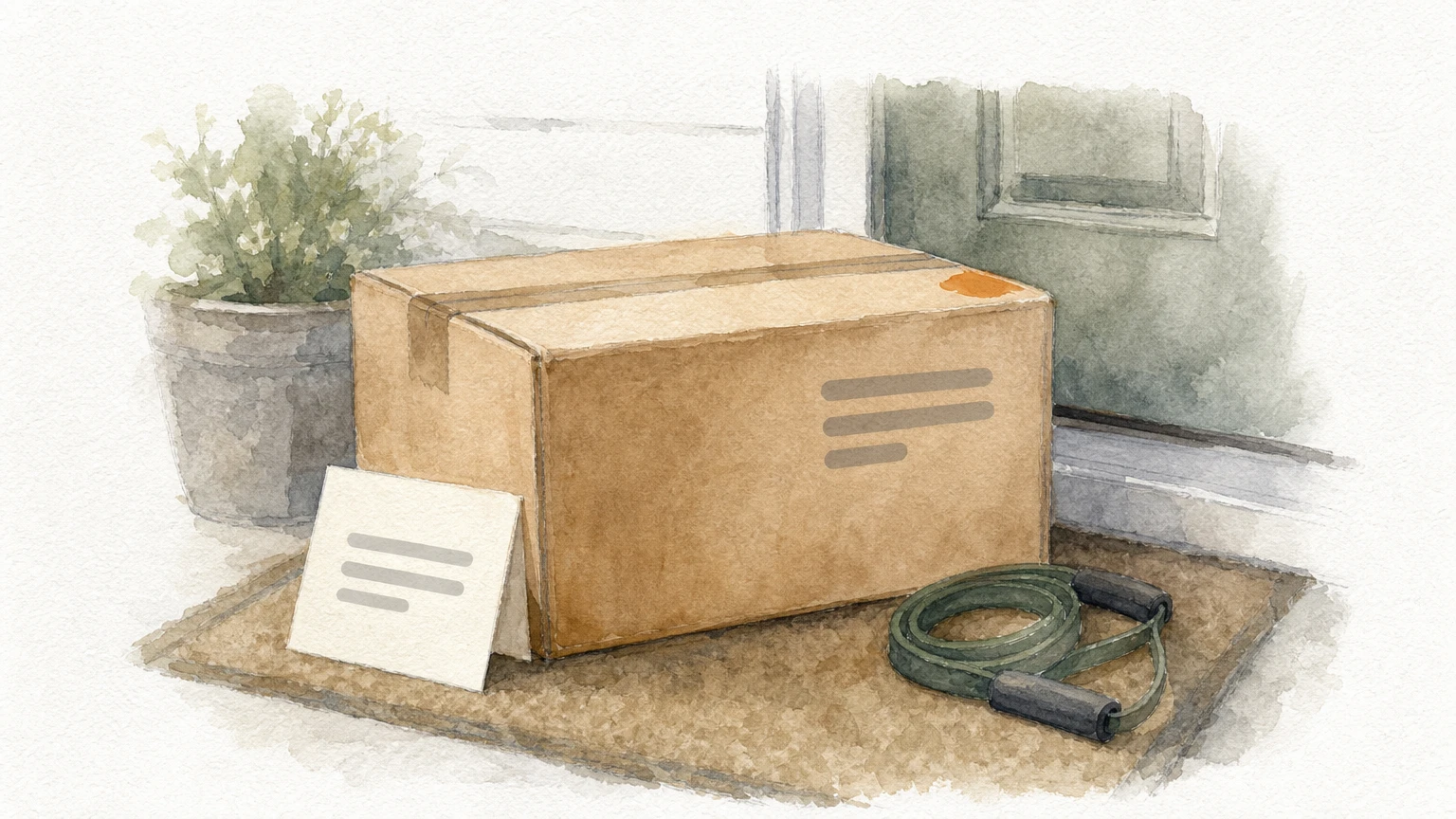
This flow starts when a customer places an order and runs until the package lands. It is the most overlooked piece of email automation ecommerce brands build, even though engagement is highest right after a purchase. The customer just paid you, so they are paying attention.
Its job is not to sell again right away. It confirms trust, sets expectations, and makes the second order easier. Split first-time buyers from repeat customers, because a loyal buyer does not need a "welcome to the family" message.
A post-purchase flow turns a one-time buyer into a repeat customer, so treat the order as the start of the relationship.
Emails to include and timing
Shopify or your platform already sends transactional receipts and shipping notices. Your marketing flow sits on top of them. Base the timing on the delivery date, not the order date, so emails never arrive before the product does.
Send | Job | |
|---|---|---|
1 | Right after the order | Thank the buyer, tell your story, explain what happens next |
2 | 2 days after delivery | Share usage tips, care steps, or a how-to video |
3 | 10 days after delivery | Ask for feedback and suggest one related product |
Keep selling light. One soft recommendation in email 3 is plenty.
Example
Take a home fitness brand that sells resistance bands. Email 1, "Thanks, Sam. Here's what happens next," gives the shipping window and a short note from the founder. Email 2, "Get more out of your bands," embeds a three-minute starter workout video.
Email 3 asks, "How are your bands holding up?" and offers a reply button that goes to support. Below it sits one product, a door anchor that pairs with the bands. The flow feels like service first, upsell second, which is why customers respond.
Metrics to track
Judge this flow on what happens after the purchase, not on the first open. Check these numbers:
Repeat purchase rate: the share of flow recipients who order again within 60 to 90 days.
Click rate: shows whether your tips and product picks are useful.
Support tickets about order status: a drop means your emails are answering questions early.
Unsubscribe rate: a spike usually means email 3 pushed too hard.
If repeat orders stay flat, test a longer gap before the product suggestion.
6. Product review requests
What it is and when it triggers
This flow asks customers to review the product they bought. It triggers a set number of days after delivery, not after the order. Klaviyo and Omnisend both connect to the major review apps, so the trigger is easy to wire up. It is one of the quieter wins in ecommerce email automation, because every new review works for you in your welcome, cart, and browse emails.
Ask for the review once the customer has used the product, not when the box arrives.
Exit anyone who already left a review or contacted support about a problem. Send unhappy customers to your service team instead of a public review page.
Emails to include and timing
Timing depends on the product. A t-shirt can be judged in a week, but a skincare serum needs three to four weeks before results show. Match the delay to how long your item takes to prove itself.
Send | Job | |
|---|---|---|
1 | 7 to 14 days after delivery | Ask for a star rating with one click |
2 | 5 days later | Remind non-responders that reviews help other shoppers |
Two emails are enough. Put the star rating inside the email so the customer starts the review with a single tap.
Example
Picture a candle brand. Email 1 has the subject line "How is your Cedar Night candle?" and shows five clickable stars under the product photo. A tap opens the review form with the rating already filled in.
Email 2, "30 seconds to help someone choose," shows the same stars and mentions that photo reviews earn 100 loyalty points. Points protect your margin better than a discount code, and they pull the customer back for another order.
Metrics to track
The goal is a steady stream of fresh, honest reviews. Watch review submission rate first, then check what those reviews do for your sales. These numbers tell you most:
Submission rate: the share of recipients who leave a review.
Average rating: a drop flags a product or shipping problem early.
Photo and video share: visual reviews convert better on product pages.
Conversion on reviewed products: compare them with products that have none.
7. Cross-sell and upsell emails
What it is and when it triggers
Cross-sell emails suggest products that pair with what a customer bought. Upsell emails suggest a bigger or better version of it. Both fire from order data, usually a week after delivery. They matter in ecommerce email automation because selling to a past buyer costs far less than winning a new one. Exit anyone who already bought the suggested item or has an open support ticket.
Recommend what completes the purchase, not what you need to clear off the shelf.
Segment by the product bought. A buyer of a starter kit gets the premium kit, and a buyer of a single item gets accessories. Keep upsells close in price to the original order, or the offer feels like a stretch.
Emails to include and timing
Two emails are enough. Run them after your post-purchase flow ends, and never send both flows at once.
Send | Job | |
|---|---|---|
1 | 5 to 7 days after delivery | Show one complementary product tied to the order |
2 | 14 days after delivery | Offer an upgrade or bundle with a clear saving |
Example
Picture a pet brand that sold a dog harness. Email 1, "Complete the walk kit," shows a matching leash and a waste bag holder, both in the same color the customer chose.
Email 2, "Save 15% on the full set," bundles the harness, leash, and holder. The customer sees a bundle that fits their dog, not a random discount blast.
Metrics to track
Judge this flow by how much it adds to each order and how often it brings people back. Watch these:
Attributed revenue per recipient: shows what the flow is worth per entrant.
Average order value on follow-up orders: a rise means your pairings land.
Click rate by product block: tells you which recommendations to keep.
Unsubscribe rate: a spike means you are pitching too soon after delivery.
8. Replenishment reminders
What it is and when it triggers
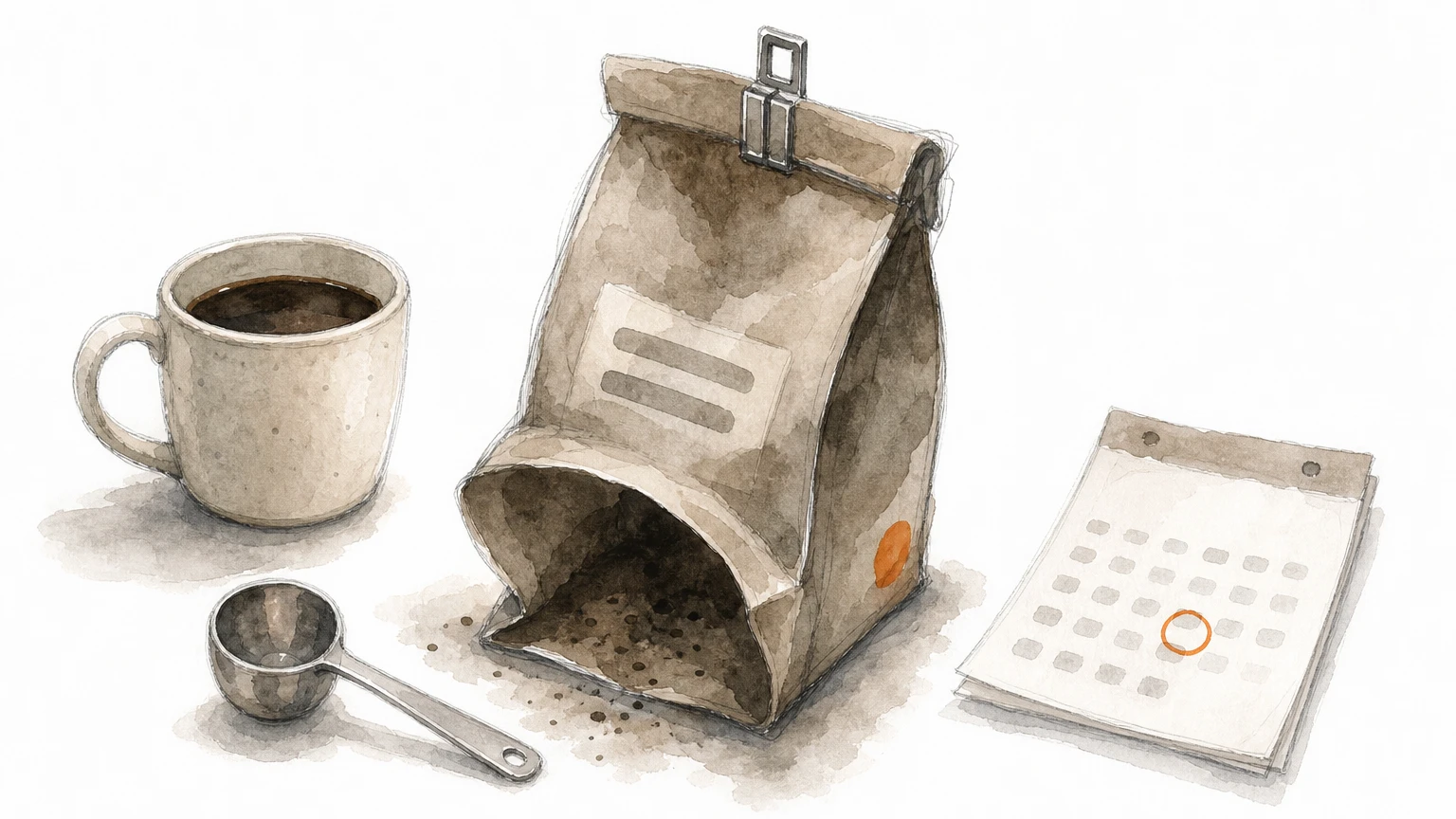
This flow reaches customers just before they run out of a consumable product. It triggers from order data, a set number of days after delivery, based on how fast the item gets used. Coffee, supplements, skincare, pet food, and razor blades all fit. It is one of the highest-intent flows in ecommerce email automation, because the customer already needs the product again.
Set the delay from your own numbers. Pull the median days between first and second orders for each product, then trigger at about 80% of that window. Exit anyone who has reordered or holds an active subscription.
Send the reminder when the product is nearly gone, not after the customer has forgotten you.
Emails to include and timing
Two emails cover it. Keep both short, because the customer already knows what they are buying.
Send | Job | |
|---|---|---|
1 | At about 80% of the usage window | Remind and offer a one-click reorder |
2 | 5 to 7 days later | Pitch subscribe-and-save or a larger size |
Timing should be set per product, not per store. A 30-day vitamin bottle gets email 1 on day 24, while a six-month moisturizer needs a very different delay. Link straight to the reorder page with the item pre-loaded, so the customer never has to search.
Example
Picture a coffee brand selling a 12-ounce bag that lasts about three weeks. Email 1 goes out on day 17 with the subject line "Running low on Morning Blend?" It shows the bag they bought and one button: "Reorder in one click."
Email 2, "Never run out again," offers 10% off a subscription with delivery every three weeks. This turns a reminder into a recurring revenue stream, and the customer stops needing the flow at all.
Metrics to track
Judge this flow on how many customers come back and how fast. Compare each product's results against its predicted reorder window.
Reorder rate: the share of recipients who buy again within 14 days of email 1.
Subscription conversion rate: how many switch to a recurring plan after email 2.
Days to reorder: if buyers order before the email lands, send it earlier.
Revenue per recipient: shows what each reminder is worth.
9. Back-in-stock alerts
What it is and when it triggers
This flow emails shoppers who asked to be told when a sold-out item returns. It triggers when inventory moves from zero to available, and it only fires for people who tapped a "Notify me" button on that product page. Klaviyo and Omnisend both support this trigger, so setup usually takes under an hour.
A back-in-stock signup is a shopper telling you exactly what they want to buy, so answer fast.
Speed matters more than design here. Demand is already proven, since someone raised a hand for that exact variant, but stock can vanish again within hours. Send the alert only for the size or color they requested, and exit anyone who buys. In ecommerce email automation, this is one of the easiest wins because the shopper does the targeting for you.
Emails to include and timing
Send the first alert within minutes of the restock, then follow up once if units remain. Skip the discount, because these shoppers already want the item and you would give away margin for nothing.
Send | Job | |
|---|---|---|
1 | Within 15 minutes of restock | Announce the item is back, with a link to the exact variant |
2 | 24 to 48 hours later | Note that stock is limited, only if it is still true and unbought |
Use low-stock messaging only when the count is real. A fake scarcity line costs you trust, and these subscribers are your most engaged.
Example
Picture a sneaker brand with a size 10 that sold out last week. Email 1 uses the subject line "Your size 10 is back" and shows the shoe in the right color with one button: "Buy now." A line underneath says only 14 pairs came in.
Notice that email 2, "Still available, but not for long," goes only to people who have not ordered. It also adds a related shoe in the same size as a backup, which catches shoppers who hesitated.
Metrics to track
Judge this flow on how quickly alerts turn into orders, and use the signup data beyond email.
Alert-to-order rate: the share of recipients who buy after email 1.
Time to purchase: if most orders land within an hour, speed up your trigger.
Revenue per recipient: usually among your highest of any flow.
Waitlist size per product: a free demand forecast to guide what you reorder from suppliers.
10. Winback emails
What it is and when it triggers
This flow targets customers who stopped buying and have gone quiet. It triggers when a past buyer passes a lapse window with no order, usually 1.5 to 2 times your normal repurchase cycle. If shoppers typically reorder every 45 days, trigger at about 90. Pull that median from your own order data. In ecommerce email automation, winback also protects deliverability, because it clears out contacts who no longer open.
Winning back a past buyer costs far less than finding a new one, so reach out before they forget you.
Exclude anyone who has ordered, and keep people who never bought out of this flow. They belong in your welcome series.
Emails to include and timing
Three emails over about three weeks is enough. Hold the discount until the last one, because many lapsed buyers return for new products alone.
Send | Job | |
|---|---|---|
1 | At the lapse trigger | Show new arrivals and best sellers, no offer |
2 | 7 days later | Ask what they want, with a one-question survey |
3 | 14 days later | Make a final offer with a clear deadline |
Anyone who ignores all three should move to a sunset flow or be suppressed after 90 more days of no engagement.
Example
Picture a skincare brand with a 60-day cycle. At day 90, email 1 reads "A lot has changed since your last order" and shows three new products plus the customer's past favorite. Email 2, "What would bring you back?", offers four clickable answers, such as price, variety, or shipping speed.
Email 3 says "15% off, 5 days only." Notice that the survey answer can decide the angle, so a shipping complaint gets free shipping instead of a percentage off.
Metrics to track
Judge this flow on reactivated revenue and what the discount costs you.
Reactivation rate: the share of recipients who order within 30 days.
Revenue per recipient: shows what a lapsed buyer is worth.
Discount cost: if most orders use email 3, test a non-discount version.
Unsubscribe and complaint rate: a spike means you are emailing people too late.
11. VIP and loyalty emails
What it is and when it triggers
This flow recognizes your best customers and rewards them before a competitor does. It triggers when someone crosses a threshold you set, such as 3 orders, $300 in lifetime spend, or the top tier of your rewards program. Your top 10 to 20% of buyers often drive a disproportionate share of revenue, so they deserve their own track in your ecommerce email automation.
VIPs already love you, so give them access and recognition, not another discount.
Set the entry rule from your own order data, and exit anyone with an open support ticket or a recent refund.
Emails to include and timing
Three touchpoints cover it. The first confirms status, and the others keep the perks visible so the tier feels worth keeping.
Send | Job | |
|---|---|---|
1 | Within a day of qualifying | Welcome them to VIP and list the perks |
2 | Before each launch | Give early access, 24 to 48 hours ahead of the public |
3 | Monthly | Show points balance and progress to the next tier |
Keep rewards about access and recognition, such as free shipping, first picks, and a direct line to support. These cost you little and feel personal.
Example
Consider an apparel brand with a tier called Inner Circle. Email 1, "You're in. Welcome to Inner Circle," lists free shipping on every order and a founder's thank-you note. Email 2, "The drop opens for you first," gives a private link 48 hours before launch.
Email 3, "You're 120 points from Gold," shows a progress bar and three items that would close the gap. Nothing here asks for a discount, which keeps your margin intact.
Metrics to track
Compare VIPs against your general list, because the gap shows what the program is worth.
VIP repeat purchase rate: how often members order again within 90 days.
Early access conversion: the share of recipients who buy during the head start.
Average order value: should sit well above non-members.
Points redemption rate: low redemption means the rewards feel out of reach.
Tier drop-off: members who slide down a tier need a nudge.
12. Birthday and anniversary emails
What it is and when it triggers
This flow sends a personal message on a date that matters to the customer: their birthday, or the anniversary of their first order. It triggers from a date property on the profile, so you have to collect it. Ask for the month and day in your sign-up form or rewards account, and pull order dates from your store data. Of all ecommerce email automation, this flow feels the most personal and needs the least upkeep.
A birthday email works because it is about the customer, not your inventory.
Send only to opted-in subscribers, and exit anyone with an open support ticket. Skip the birth year, since you don't need it and shoppers hesitate to share it.
Emails to include and timing
One email per occasion is enough, plus a reminder for the gift. Send the birthday email about a week ahead so the shopper has time to use the gift.
Send | Job | |
|---|---|---|
1 | 7 days before birthday | Wish them well and give a gift valid for 14 days |
2 | 3 days before the gift expires | Remind only those who haven't redeemed |
3 | On first-order anniversary | Thank them and show the product they bought |
Choose a free item or bonus points over a percentage off. It costs you less and feels like a gift, not a coupon.
Example
Picture a candle brand. Email 1, "A little something for your birthday, Sam," offers a free mini candle with any order over $30, valid for 14 days. Email 2, "Your gift expires Friday," goes only to people who haven't ordered.
On the one-year mark, an email titled "One year ago, you picked Cedar Night" shows that candle and offers double points for a week. It reads like a note from a friend, which is why customers answer it.
Metrics to track
These emails send in small volumes, so judge them on redemption and on how much data you collect.
Gift redemption rate: the share of recipients who use the offer.
Revenue per recipient: shows what each occasion is worth.
Date capture rate: the share of profiles with a birthday on file. If it's low, add the field to your forms.
Average order value: a spend threshold on the gift should push this above normal.
Unsubscribe rate: it should stay near zero, and a rise means the gift feels like a pitch.
Where to start with your flows
You do not need all 12 flows on day one. Build the welcome series, abandoned cart, and post-purchase flows first, since they catch the most revenue with the least effort. Add browse and checkout abandonment next, then layer in review requests, replenishment, and winback as your list grows. Save the VIP and birthday flows for when you have the data to support them.
Each flow follows the same pattern: a clear trigger, a few focused emails, and one metric tied to revenue. That is the core of ecommerce email automation, and every flow you add compounds the ones before it. Launch, read the numbers, and test one change at a time.
If you would rather skip the setup, Chromex builds and manages these flows for stores on Klaviyo and Omnisend. Book a call and let Chromex build your email flows, and turn email into a major revenue channel for your brand.